
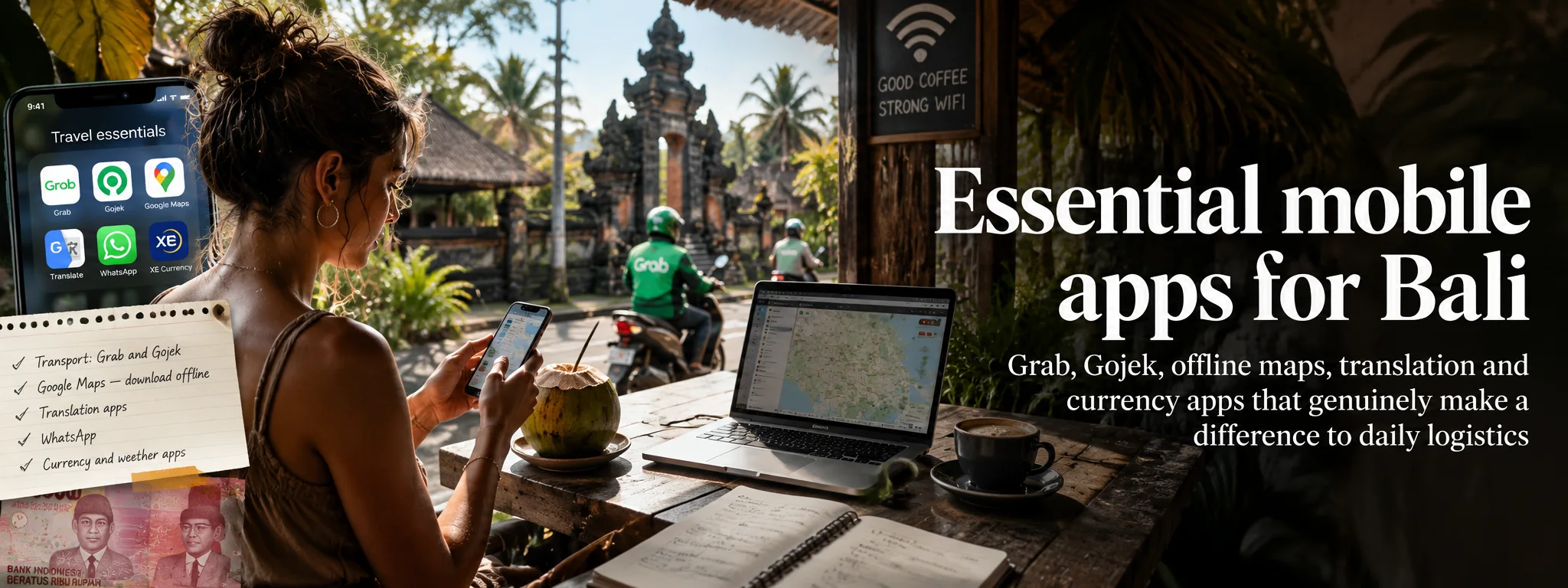
You do not need a phone full of Bali apps. A small stack for maps, transport, messaging, banking, flights and official arrival admin covers most real problems; everything else is optional clutter competing for battery and permissions.
I would install the essential apps before flying, sign in while two-factor authentication still works normally, save the important addresses offline and then stop treating the phone like a second itinerary that needs constant maintenance.
01 The useful Bali app stack is smaller than you think
You do not need twenty Bali apps. For most visitors, the genuinely useful stack is: one or two transport apps, a mapping app with offline access, airline/booking apps you already use, your bank/payment app, messaging, and the official Indonesian systems required for your particular trip. Everything else is optional.
Install and log into important apps before you leave home, while you can easily receive verification SMS messages and recover passwords. Then read our SIM/eSIM guide so your phone is actually connected when you land.
02 Transport: Grab, Gojek and Bluebird
Grab and Gojek provide app-based car and motorcycle transport in Bali, along with food delivery and other services. Coverage and pickup arrangements can vary by area because individual venues, villages and transport zones may have designated pickup points or local restrictions. If the app places a pickup pin somewhere unexpected, follow the app/venue instructions rather than insisting a driver enter a restricted forecourt.
Grab, Gojek and Bluebird solve different transport jobs. I would set them up before the first airport pickup rather than learn passwords and payment settings while standing beside luggage.
Having both apps gives you a useful fallback when drivers are scarce or surge pricing differs. For airport arrival transport, follow the current official pickup arrangements rather than accepting unsolicited offers in the arrivals hall.
Bluebird remains one of Indonesia’s best-known taxi operators. Its app is useful for travellers who prefer a conventional metered taxi company with app booking. Availability is strongest in the main southern tourism areas and Denpasar rather than every remote corner of Bali.
It complements rather than replaces Grab/Gojek: keep whichever combination works for your itinerary.
03 Maps and WhatsApp: the everyday essentials
Google Maps is invaluable for finding hotels, restaurants, ATMs and attractions, but Bali road routing deserves scepticism. A route that looks shorter may use a lane that is uncomfortable in a car, and travel-time estimates can be wrecked by congestion or ceremonies. For self-driving, use the map as navigation rather than proof that a road is sensible.
Maps and WhatsApp are the boring champions. One gets you near the place; the other lets the driver, hotel or tour operator explain why the pin is not quite the entrance.
Download offline map areas before long day trips. Offline maps do not replace live traffic, but they stop a temporary data outage from leaving you completely lost. Totally Bali’s own interactive Bali map is useful for discovery and linking places back to detailed guides.
Hotels, drivers, dive shops, guides, restaurants, villas and small businesses frequently communicate through WhatsApp. Keep it installed and make sure your account survives a SIM/eSIM change. If you use two numbers, understand which one your WhatsApp account is tied to before replacing a physical SIM.
Do not treat a WhatsApp message as proof that a stranger is an official immigration officer, bank or accommodation manager. Verify sensitive payment or identity requests independently.
04 Flights and banking: keep control of the important stuff
Install the app for your airline if it supports useful functions such as online check-in, boarding passes and disruption notifications. For itineraries with multiple flights, a flight-tracking app can provide context, but airline/airport information remains the authority for gate and operational changes.
Before travelling, ensure you can access your bank without relying on a home SIM that will be unavailable. Know how your bank handles two-factor authentication and travel notifications. Card controls — freezing a card, changing limits or approving an online transaction — are much more valuable in an emergency than downloading a random currency-converter app.
For exchange rates, compare against a reputable live reference rather than trusting a hard-coded rate in a travel guide. See our Bali currency and money guide.
05 Translation and weather: useful with realistic expectations
English is widely used in Bali tourism, but translation helps outside the major visitor areas, with drivers, menus and pharmacies. Download Indonesian for offline use. Camera translation can be useful for labels, although machine translation should not be relied on for legal or medical instructions without human confirmation.
Tropical weather is local. A phone forecast showing “rain in Bali” does not mean the whole island will be wet all day. Use a reputable weather provider and interpret precipitation as a probability/area forecast rather than a timetable. During mountain hikes or sea crossings, listen to guides/operators and official weather warnings rather than making safety decisions from a generic icon.
06 Official arrival systems, food and grocery delivery
Indonesia has increasingly moved immigration, visa and arrival processes online. The exact forms required can change, so our rule is simple: follow the current entry guide and use official Indonesian government domains. Do not download an app or pay a website merely because it appears above the official result in search.
Grab and Gojek also function as food-delivery platforms, which is particularly useful in villas or on wet evenings. Delivery addresses can be tricky on unnamed lanes; pin the exact gate and add a clear landmark or property name. Keep your phone reachable because drivers often message or call when they are nearby.
07 Phone security and offline preparation before you fly
- Enable a strong screen lock and biometric access.
- Turn on Find My iPhone / Find My Device.
- Back up photos automatically.
- Store passport and insurance copies securely in cloud storage.
- Do not put your only bank card and your unlocked phone in the same easy-to-steal bag.
- Avoid entering banking passwords on unknown public Wi-Fi unless you trust the connection and device.
- Keep your home SIM somewhere safe if using a local physical SIM.
At minimum: Grab, Gojek, WhatsApp, Google Maps offline data, your airline app, your bank app and Google Translate offline Indonesian. Add MyBluebird if you expect to use taxis. Everything else can be installed later when a real need appears.
Offline maps, saved bookings and a locked phone are much more useful than pretending connectivity is guaranteed. I plan for ten minutes without signal because eventually Bali will provide them.
08 eSIMs, two-factor authentication and first-hour connectivity
Travellers buying an Indonesian SIM may also use the carrier’s own app to check data balance and buy packages. These can be useful once you know which network you are using, but there is no reason to install every Indonesian telecom app in advance.
First-hour connectivity is worth arranging before take-off. The goal is not the cheapest possible data plan; it is being able to reach the hotel, driver and banking authentication when you actually need them.
If you buy a travel eSIM, install its provider app before departure if required and save the activation instructions somewhere offline. Some eSIMs are data-only, meaning your normal phone number still handles calls/SMS while mobile data routes through the eSIM. Understand which SIM is used for data and which receives authentication messages before you land.
Many travellers discover abroad that their bank, email or booking account insists on sending a code to the home SIM they removed. Before travelling, review important accounts and add an authenticator app, recovery email or other backup method where supported. If you keep your home SIM active alongside an eSIM, disable expensive data roaming on the home line while still allowing incoming authentication SMS if your plan supports it.
09 Reviews, battery, privacy and the apps you can skip
Save the hotel name in plain text as well as on a map. A driver can work with an address or landmark even if your navigation app refuses to load.
Every travel app wants location, notifications and a little piece of your soul. I give permissions only when the feature genuinely needs them and delete the junk after the trip.
Screenshot or download your accommodation address, booking number, airport-transfer instructions, passport/visa confirmation and the first-day itinerary. Your phone may take time to connect to a new network, and airport Wi-Fi is not something you should make the entire arrival plan depend upon.
For medical care, immigration, money exchange and legal questions, do not rank options purely by star rating.
Google Maps and delivery-platform reviews help identify patterns, but a high score is not proof a tour operator, clinic or money changer is licensed or suitable. Read recent reviews, look for detailed recurring complaints and cross-check important businesses with official information where available.
Navigation, ride-hailing, photography and mobile data can drain a phone quickly on a sightseeing day. Carry a reputable power bank and charging cable, especially on Nusa Penida, mountain trips and long driver days. Bali uses 230V/50Hz electricity with common European-style two-pin sockets; see our plug and electricity guide.
Do not grant every travel app permanent access to contacts, photos and location merely because it asks. Use “while using the app” location permission where practical. Public Wi-Fi is convenient for low-risk browsing, but avoid installing unknown security certificates or entering sensitive banking information on captive portals you do not trust.
Apps are useful, but basic emergency information should not depend on an app loading. Save your insurer emergency line, accommodation number, driver contact and important medical information in your contacts and in an offline note. Indonesia’s police emergency number is 110 and medical/fire arrangements can vary locally; your hotel can often help coordinate the appropriate response.
For a serious emergency, a working voice call and a clear location can be more valuable than five travel apps. Share your live location with a trusted companion when travelling alone to remote trailheads or unfamiliar areas.
The best Bali phone setup is boring and reliable. Transport, maps, messaging, banking, translation and offline access solve almost every practical problem. Avoid filling your phone with unofficial “Bali visa”, “Bali arrival” or “Bali exchange rate” apps unless you have verified who operates them.
10 Official service links
Grab’s current Indonesia service supports app-based car and motorcycle rides, while Gojek maintains a Bali presence in Denpasar. Download official apps from their real publisher pages and avoid unofficial ‘visa’ or ‘Bali helper’ clones.
You generally do not need a dedicated app for every attraction, a static exchange-rate app, an unofficial “visa helper” or a collection of restaurant apps. Mobile websites and maps handle most of those tasks. Fewer trusted apps also means fewer accounts, notifications and privacy permissions to manage.
TATS Man bottom line: Keep the Bali app stack small and useful: navigation, transport, messaging, money and official travel admin. Prepare logins before departure, keep key information offline and protect the battery like it is part of the itinerary — because it is.
Cheers, Carpe Diem & Charge the Bloody Phone! 🍻⏳🔋
your screenshot-saving, battery-hoarding digital-nomad cyborg

About the author
TATS Man
Travel journalist · digital nomad since 2007 · visiting Bali since 1989
TATS Man is the beer-loving cyborg travel journalist behind Totally Bali and TATS (Totally Awesome Travel Sites). He has travelled and worked remotely since 2007 and has been visiting Bali since 1989. His guides combine long-term destination familiarity with current primary-source research — and he does not claim first-hand experience where he does not have it.